Eclipsa Audio on YouTube: How to Upload and Verify 3D Sound
Spatial9 Team · · Updated
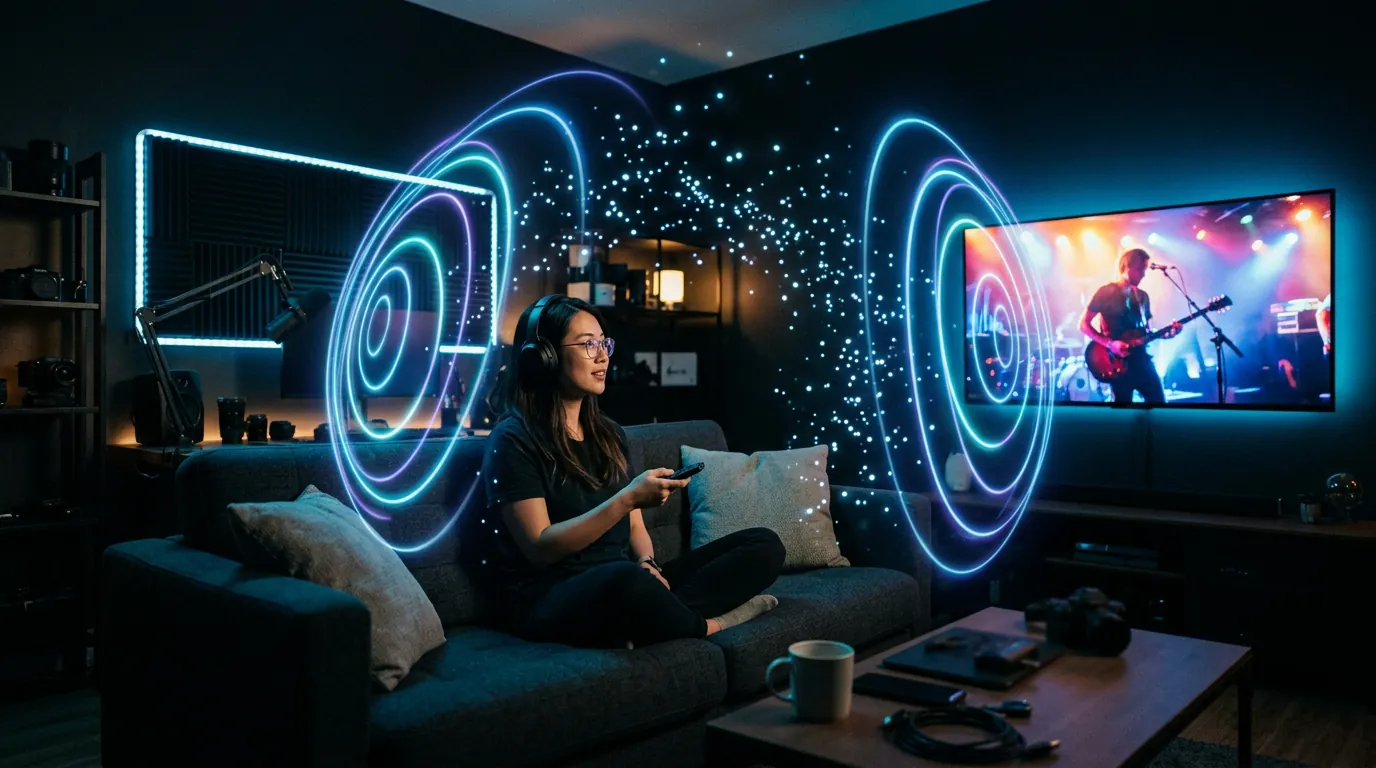
Imagine viewers hearing your voice right in front of them, the music wrapping around the room, and the crowd, the rain or the engine coming from behind and above. That is immersive audio, and YouTube now accepts it through a format called Eclipsa Audio. This guide explains what Eclipsa Audio is, where it plays, how to upload it and confirm it is working, and how Spatial9 helps creators who are not audio engineers.
What is Eclipsa Audio?
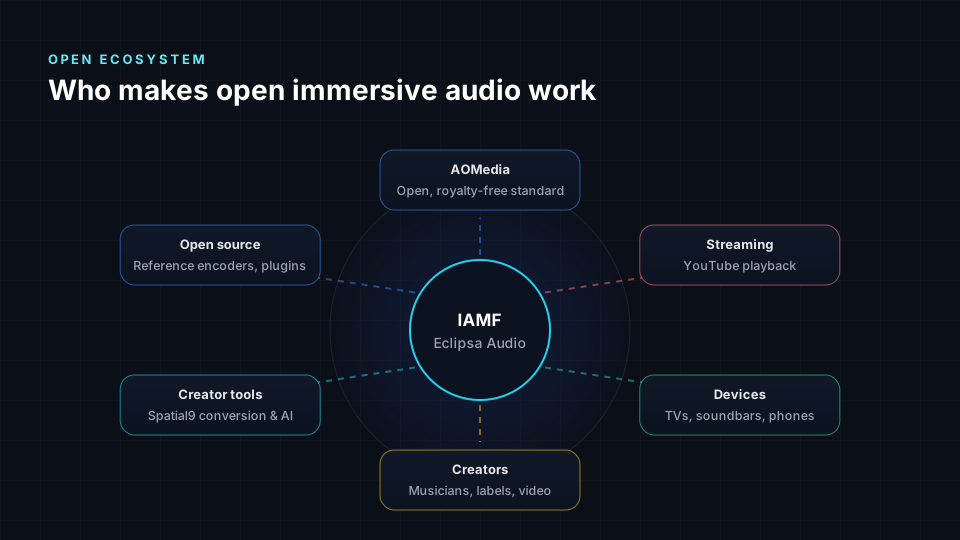
Eclipsa Audio is the brand name for 3D audio built on IAMF, short for Immersive Audio Model and Formats. IAMF was developed inside the Alliance for Open Media with major contributions from Google and Samsung, and it is available under a royalty-free license. Creators, platforms and device makers can use it without paying licensing fees.
Normal video sound is stereo: everything comes from the left or the right. Eclipsa Audio adds depth and height, so sounds can come from in front, behind, beside and above the viewer. If you are new to the idea, read what spatial audio is.
What is inside an Eclipsa Audio file?
IAMF is a container rather than a codec. It can carry audio compressed with Opus, AAC, FLAC or uncompressed PCM. Inside, a mix is made of one or more audio elements:
- Channel-based audio, such as 5.1.2 or 7.1.4 speaker layouts.
- Scene-based audio, a full Ambisonics sound field. See Ambisonics explained.
The file also stores mix presentations, instructions for how to render and combine those elements on each device. For delivery with video, IAMF is placed inside a standard MP4 file.
| IAMF profile | Specification | Audio elements (max) | Audio channels (max) |
|---|---|---|---|
| Simple | IAMF v1.0 | 1 | 16 |
| Base | IAMF v1.0 | 2 | 18 |
| Base Enhanced | IAMF v1.1 | 28 | 28 |
YouTube accepts Eclipsa Audio files that follow IAMF v1.0. Google's own example video combines third-order Ambisonics (16 channels) for ambience with a stereo element (2 channels) for narration, 18 channels in total.
Eclipsa Audio vs stereo
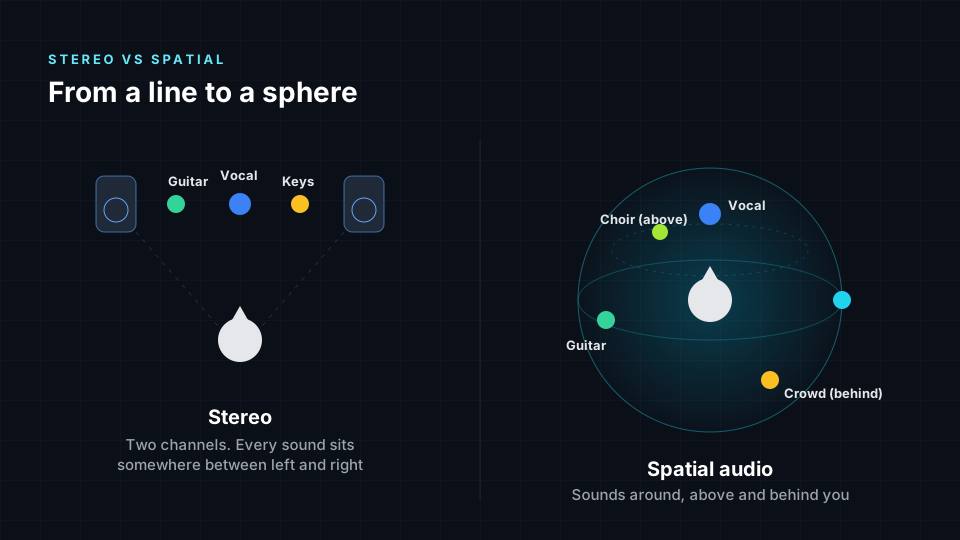
Think of stereo as a photo of a concert: you can see the band, but everything is flat. Eclipsa Audio is like standing inside the concert, with the singer in front of you, the drums beside you and the crowd all around.
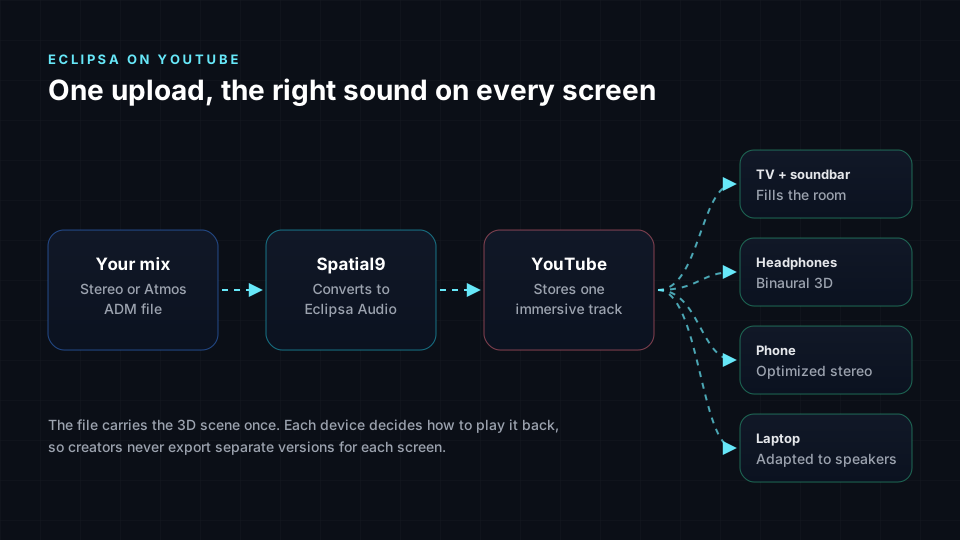
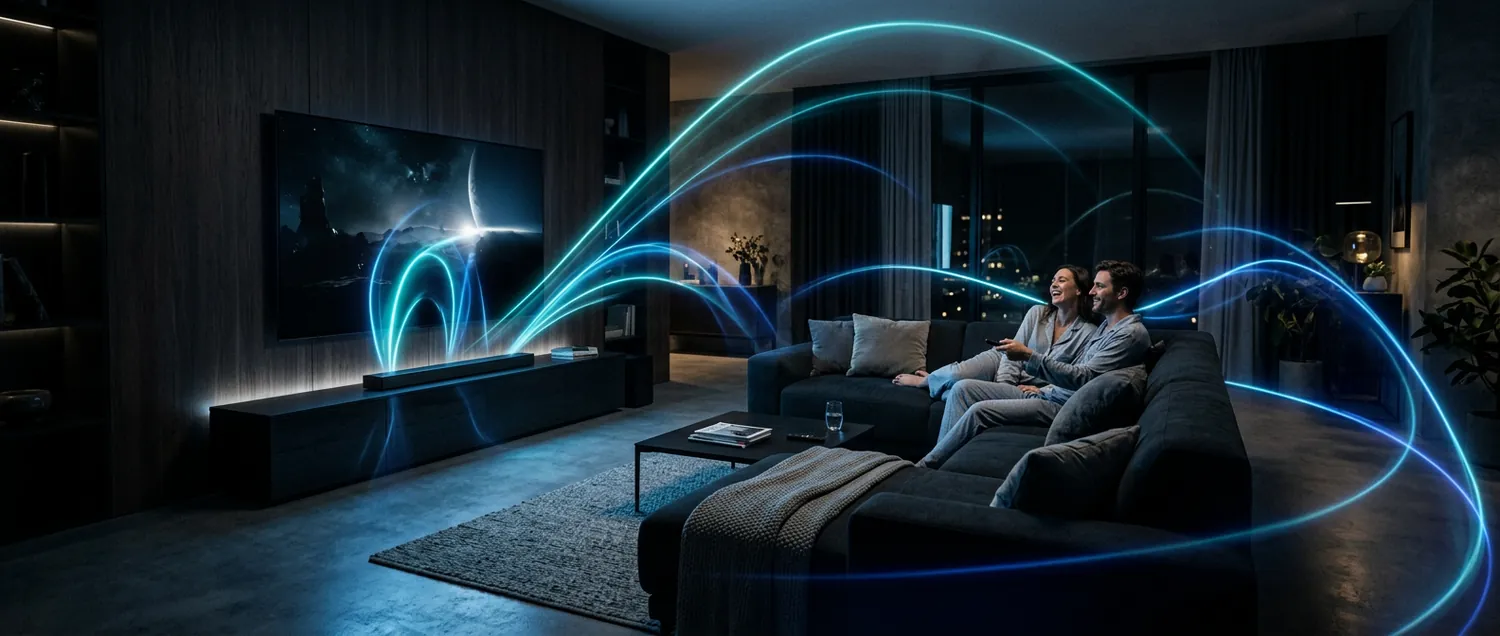
The same file adapts to wherever it is played. On a compatible TV or soundbar, the sound is spread across the speakers in the room. Headphones can hear a binaural rendering, explained in 8D vs binaural vs spatial audio. On devices that do not support it, viewers still hear a normal version of your video, so nobody is left out.
Where Eclipsa Audio plays today
| Where | Status | What it means for creators |
|---|---|---|
| YouTube uploads | Accepted since January 2025 | You can upload MP4 files with an Eclipsa Audio track |
| Samsung 2025 TVs and soundbars | Supported, from the Crystal UHD series to Neo QLED 8K | The main living-room audience for Eclipsa Audio on YouTube |
| Android 16 | IAMF decoding added in the QPR2 update | Android apps can play IAMF, and ExoPlayer uses the built-in decoder when it is there |
| Chrome browser | Announced by Google | Plan for it, but do not promise it to viewers yet |
| Other TVs and soundbars | Announced for several manufacturers | Support is growing; check each brand's own listings |
Support is still growing, and it changes quickly. Before you promote a video as "3D audio", confirm it plays on the device your audience is most likely to use.
How to upload Eclipsa Audio to YouTube and verify playback
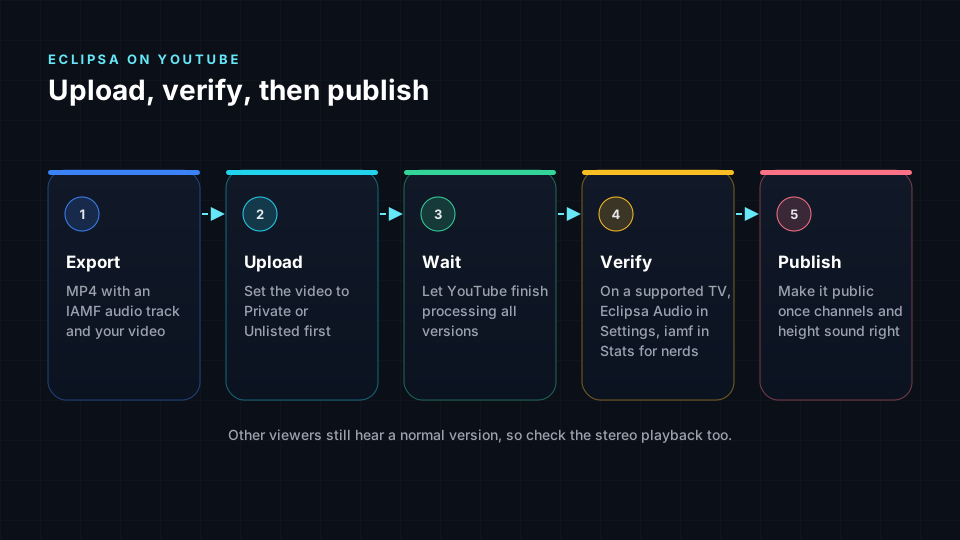
- Export an MP4 with an IAMF audio track. Spatial9 does this for you. The free Eclipsa Audio plugin for Pro Tools and open-source tools such as iamf-tools can also create them.
- Upload it as Private or Unlisted. Upload the MP4 to YouTube Studio as you would any video, but do not make it public yet.
- Let processing finish. YouTube creates several versions of every upload. Give it time before you judge the sound, as the immersive version may not be ready straight away.
- Check on a supported device. Open the video in the YouTube app on a supported TV, such as a Samsung 2025 model. Two signs show the immersive version is playing: "Eclipsa Audio" appears in the video's Settings menu, and "Stats for nerds" shows a codec string starting with iamf, such as "iamf.001.001.Opus".
- Listen for the right layout. Check that dialogue stays in front, that sounds placed behind and above you come from the right places, and that nothing is missing.
- Check the normal version too. Play the video on a phone or laptop. Most viewers will hear this version, so it must still sound balanced.
- Publish. Once both versions sound right, make the video public.
Why YouTube creators should care
Sound is half the experience. Viewers often forgive a slightly imperfect picture, but flat or harsh sound makes them click away.
- Stand out. Few channels offer immersive sound today.
- Bring old videos back to life. Your back catalog can get a premium listening upgrade without a reshoot.
- Built for the living room. A large share of YouTube viewing happens on TVs, where Eclipsa Audio is supported first.
- Ready for what is next. As more phones, browsers and speakers add support, your videos are already prepared.
- Works across genres. Music, gaming, travel, nature, ASMR, documentaries and live events all benefit from space and depth.
Why immersive audio has been hard until now
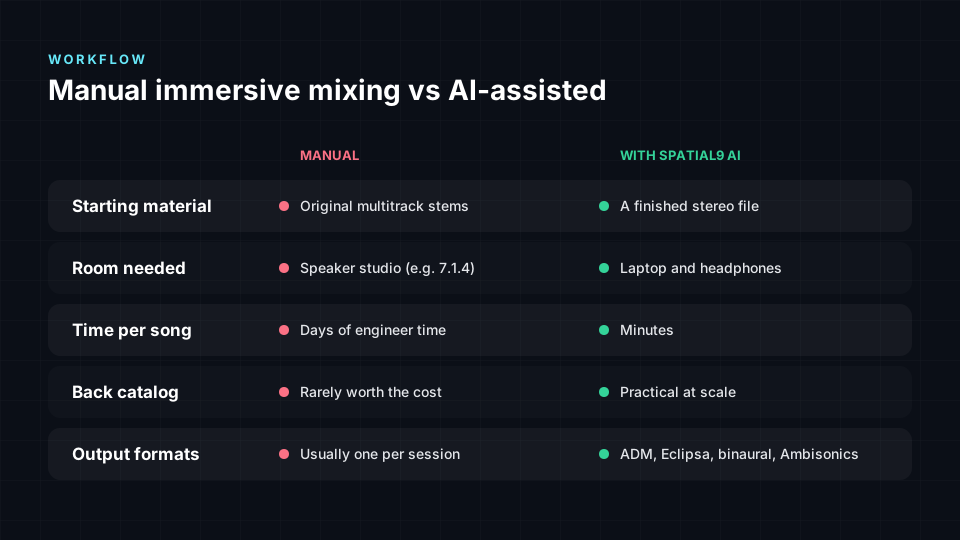
Traditionally, a 3D mix meant hiring a specialist engineer, working in a studio with speakers all around and above you, and placing every sound by hand. The free Eclipsa Audio plugins are powerful, but they are built for audio professionals working in a DAW. For a creator with hundreds of videos, mixing every upload by hand is not realistic.
How Spatial9 turns your content into Eclipsa Audio
Spatial9 is an AI platform for immersive music and video. Music transformation is available now, and video transformation is in invite-only early access.
- Upload your song or video. If you have separate voice, music and effects tracks, you can upload those too for better results.
- The AI separates the sounds. Dialogue, music, instruments and background sounds are split into their own layers.
- GravityLLM places each sound. Spatial9's model is trained to arrange sound in space. Your voice stays clear and in front, music opens up around the viewer, and effects move with the action.
- The Eclipsa Audio file is built. The result is packaged as IAMF and paired with your video in an MP4.
- Preview, then publish. Download the file, or publish to YouTube directly, then verify playback using the steps above.
Already have a Dolby Atmos mix? You can convert the ADM BWF master to Eclipsa Audio for free in your browser.
Coming soon: your whole YouTube catalog
Spatial9 is preparing catalog transformation for YouTube creators, so you can upgrade existing videos and new uploads in batches instead of one file at a time.
- Bring your back catalog. Select the videos you want to upgrade and process them together.
- Keep new uploads immersive. Make Eclipsa Audio part of your normal publishing routine.
- Sound consistent across your channel. The same placement approach is applied to every video.
- Built for scale. The same technology already powers large music catalogs, including more than 1,000 AI-generated tracks transformed with Pozalabs.
Who is behind this technology?
Spatial9 has worked with the Eclipsa Audio ecosystem from the start. We helped debut the first music rendered in Eclipsa Audio with Google and Music AI at CES 2025, we are a member of the Alliance for Open Media, and we presented our GravityLLM research at the AES Show 2025.
Get your channel ready today
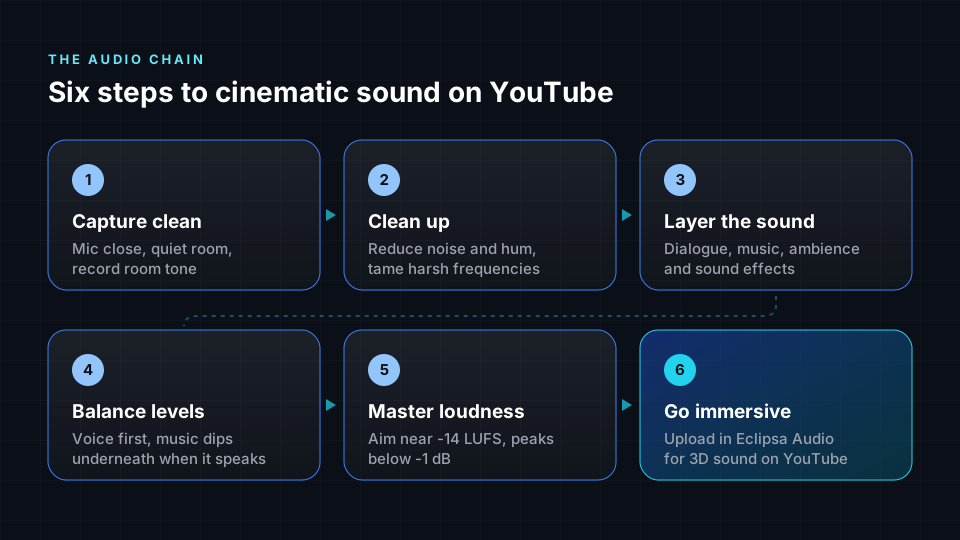
- Keep your original project files and, where you can, export voice, music and effects as separate tracks.
- Avoid heavy compression or distortion on your final mix. Clean sound gives the AI more to work with.
- Start with the videos that matter most: your most-watched, music videos and evergreen content.
- Follow the cinematic sound workflow on new videos so they are ready for 3D from day one.
Frequently asked questions
What is Eclipsa Audio in simple terms?
Eclipsa Audio is a 3D sound format from Google and Samsung that makes audio come from all around the viewer instead of only from the left and right. It is based on IAMF, an open specification available under a royalty-free license.
Can I upload Eclipsa Audio videos to YouTube?
Yes. YouTube has accepted Eclipsa Audio since January 2025. Upload an MP4 that contains an IAMF v1.0 audio track, as you would any other video.
How do I know Eclipsa Audio is working on my video?
On a supported device, "Eclipsa Audio" appears in the player's Settings menu, and Stats for nerds shows a codec string starting with iamf.
Which devices play Eclipsa Audio?
Samsung's 2025 TVs and soundbars, and Android 16 devices with the QPR2 update, in apps that use the built-in IAMF decoder. Google has announced Chrome support, and more manufacturers are adding it.
Will viewers without special equipment still hear my video?
Yes. Viewers on devices that do not yet support Eclipsa Audio hear a normal version of your sound.
Is Eclipsa Audio the same as Dolby Atmos?
No. Both are immersive formats, but Eclipsa Audio is built on an open, royalty-free specification, and Dolby Atmos is licensed by Dolby. If you have an Atmos master exported as an ADM BWF file, Spatial9 can convert it to Eclipsa Audio.
Do I need to be an audio engineer to use Spatial9?
No. You upload your song or video, and Spatial9 handles the separation, the 3D placement and the Eclipsa Audio packaging.
Sources
- Introducing Eclipsa Audio: immersive audio for everyone, Google Open Source Blog, January 2025. Format background, YouTube uploads, Samsung 2025 TVs, and the Chrome and Android plans.
- Introducing Open Source DAW Plugin for Eclipsa Audio, Google Open Source Blog, June 2025. IAMF profiles, YouTube support for IAMF v1.0, and how to verify playback with Settings and Stats for nerds.
- Android 16 QPR2 Beta 1 is here, Android Developers Blog, August 2025. IAMF decoding in Android and ExoPlayer.
- Eclipsa Audio: ushering in a new generation of 3D sound, Samsung Global Newsroom.
- IAMF specification, Alliance for Open Media.
- iamf-tools and the Eclipsa Audio plugin, open-source projects on GitHub.
- Spatial9 product details, partnerships and availability are provided by Spatial9.
The bottom line
Eclipsa Audio brings true 3D sound to YouTube, and it is open to every creator. The hard part has always been the production. Spatial9 removes that barrier: upload your content, let our AI place every sound in space, verify playback, and publish an immersive version your viewers can feel.