Classroom Lab 2: Record Spatial Movement With Your Hands and Body
Spatial9 Team · · 6 min read
Lab 12 of 24 in Spatial9 Academy, module 3: Inside the Immersive Classroom. Practice in the demo: Music Transformation.
Key takeaways
- Hand Gesture tracks your palm centre for left, right, up, down, near and far, with an open palm to start and a fist to stop.
- Body Movement offers four styles: Conductor, Steering Wheel, Body Sway and Head Lead, the last one ideal when seated.
- A take lasts up to 30 seconds, is sampled every 0.05 seconds and pauses automatically if tracking is lost for more than 0.35 seconds.
- Your video is processed on your device and never uploaded or saved; only the movement path is kept.
Some movements are hard to describe and easy to perform. Think of a conductor bringing the strings forward, or a dancer sweeping an arm overhead. In Movement Design you chose motion from a library. In this lab you will draw it yourself, in real time, with your hands and body.
The idea is old. Composers and researchers have long explored gesture as a musical controller, from the theremin to hyperinstruments. What is new is that you need nothing but a laptop camera.
What you will learn
- How to open the motion capture tools from the Movement Library.
- How hand tracking maps your palm to left/right, up/down and near/far.
- Four body capture styles and which musical jobs suit each one.
- How the recorder samples, smooths and pauses a take.
- How to review, tidy, retake and apply a movement.
- Why your video never leaves your device.
Before you start
- A webcam and good front lighting. Avoid a bright window behind you.
- For body capture, enough room to stand about two metres from the camera.
- Headphones, so you can hear the stem as you place it.
- A clear idea of the stem and the musical moment you want to shape. Pick Riser, Synth Arp or DPV FX from Echoes; they are designed to move.
Privacy first
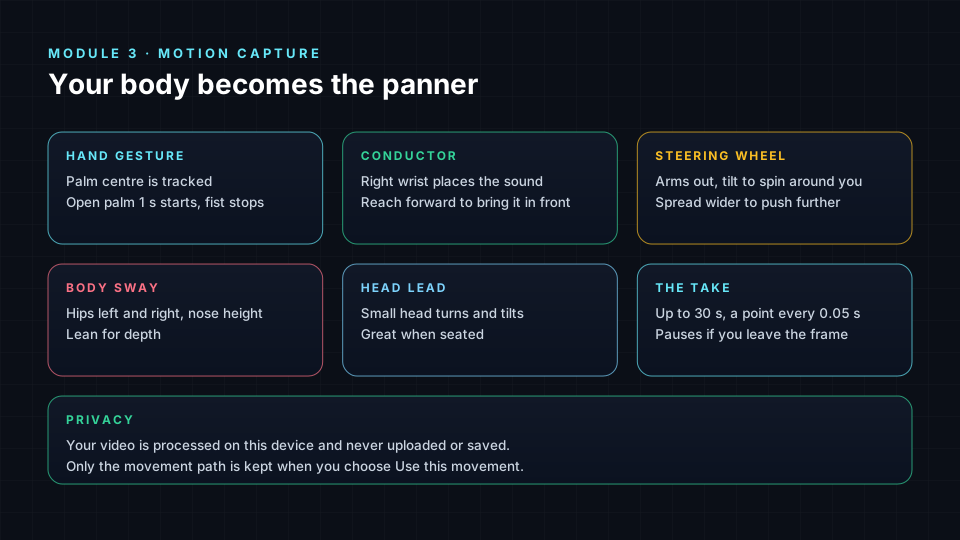
Every capture screen says it clearly: "Your video is processed on this device and never uploaded or saved." Tracking runs in your browser. Only the movement path, a list of positions over time, is kept if you choose to use it. Press Turn on camera only when you are ready.
Where to find it
Open the Movement Library, choose the Your Custom category and press Create New Movement. You will see two options: Hand Gesture and Body Movement.
How a take works
Both tools share the same recorder:
| Stage | What happens |
|---|---|
| Countdown | 3, 2, 1, then recording starts |
| Recording | Up to 30 seconds. Your position is sampled every 0.05 seconds and smoothed |
| Lost tracking | If the camera loses you for more than 0.35 seconds, the timer pauses and shows "Paused until you are back in view" |
| Review | "Here is your movement", with the length in seconds and number of points |
| Too short | Fewer than ten points shows "That take was too short" |
Sampling every 0.05 seconds means twenty points per second, smooth enough for fast gestures. The pause rule protects your take: if you step out of frame, the recording waits rather than filling the path with a jump.
Part 1: Hand Gesture
The hand screen reads "Draw movement with your hand". The palm centre is tracked, and one hand is followed at a time.
- Left and right moves the sound left and right.
- Up and down moves it up and down.
- Closer to the camera and further away moves it nearer and further.
You can start and stop hands-free. Hold an open palm toward the camera for one second to start; make a fist to stop. This keeps your other hand free and avoids reaching for the trackpad mid-gesture.
Tidy it up
Human hands wobble. In the review screen, Tidy it up offers two choices: As recorded, which keeps every nuance, or a detected shape such as a circle or line, shown with a similarity percentage. If you drew an 88% circle, choosing the clean circle gives you a perfect orbit with your timing. Keep As recorded when the imperfection is the point, such as a nervous flutter.
Part 2: Body Movement
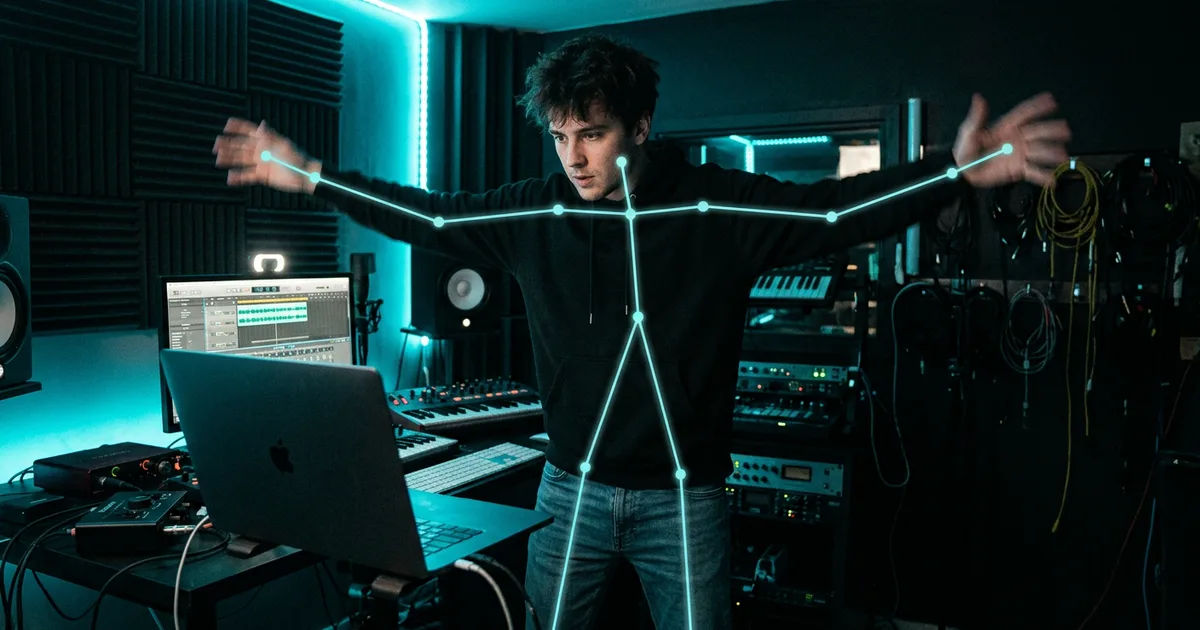
The body screen reads "Capture movement with your body" and draws a skeleton over your video using pose tracking. Stand about two metres away. When recording starts, the classroom captures a baseline of your nose height and shoulder width, so every movement is measured relative to your own body and your distance from the camera.
Choose one of four styles:
| Style | How you control the sound | Best for |
|---|---|---|
| Conductor | Your right wrist places the sound; reaching toward the camera brings it in front | Precise lead or arp gestures |
| Steering Wheel | Both arms out; tilt to spin the sound around you; spread wider to push it further | Orbits and fly-arounds |
| Body Sway | Hips left and right, nose height for elevation, lean for depth | Slow, breathing pads |
| Head Lead | Small head turns and tilts | Subtle motion, and great when seated |
Head Lead is the most accessible style. If you cannot stand or move your arms comfortably, it gives you full control with very small motions.
Lab steps
- Choose Riser. Open Your Custom → Create New Movement → Hand Gesture.
- Turn on the camera. Hold an open palm for one second to start.
- Draw a slow upward spiral that lasts as long as the riser. Make a fist to stop.
- Review in From above and Height over time. Does height rise steadily?
- Try Tidy it up. Compare As recorded with the detected shape. Pick one and press Use this movement.
- Switch to Body Movement → Steering Wheel for DPV FX. Record a single slow turn around you.
- Record the same idea with Head Lead while seated. Compare the two takes.
- Apply your best take to Specific Sections only, and A/B against the original Echoes motion.
Common problems and fixes
- The timer keeps pausing: improve front lighting, wear clothes that contrast with the background, and keep your whole upper body in frame.
- The path is jittery: move more slowly, or use Tidy it up.
- Body takes feel too small: stand closer to two metres so your shoulders give a reliable scale.
- "That take was too short": record for at least a second or two so the take has ten or more points.
Check yourself
- How long can one take last?
- How often is your position sampled?
- What happens if tracking is lost for more than 0.35 seconds?
- How do you start and stop a hand take hands-free?
- Which body style works best when seated?
Answers
- Up to 30 seconds.
- Every 0.05 seconds, which is twenty points per second.
- The timer pauses until you are back in view.
- Hold an open palm for one second to start and make a fist to stop.
- Head Lead.
Assignment
Perform three movements for Echoes: one hand gesture, one Conductor take and one Head Lead take. For each, write the stem, the musical moment, whether you tidied it and why. Apply the best one and share your scene with your class using Share with class, which keeps positions and movements.
Frequently asked questions
Is my webcam video uploaded when I capture movement?
No, the video is processed on your device and never uploaded or saved; only the movement path is kept if you choose to use it.
Do I need special hardware for spatial motion capture?
No, a laptop webcam, decent lighting and headphones are enough for both hand and body capture.
What is the difference between Conductor and Steering Wheel?
Conductor places the sound with your right wrist for precise gestures, while Steering Wheel uses both arms like a wheel to spin the sound around you and push it further away.
Can I clean up a shaky hand movement?
Yes, Tidy it up offers the take As recorded or a detected clean shape with a similarity percentage, so you keep your timing with a smoother path.
Next step
Motion gives sounds life. Effects give them character. Continue with The Effects Rack: 1,459 Immersive and Research Effects Explained, or return to the Spatial9 Academy course home.
The full lesson is free with a Spatial9 account.