Upmixing Stereo vs Mixing From Stems: Can AI Make a Real Immersive Mix?
Spatial9 Team · · Updated · 8 min read
Key takeaways
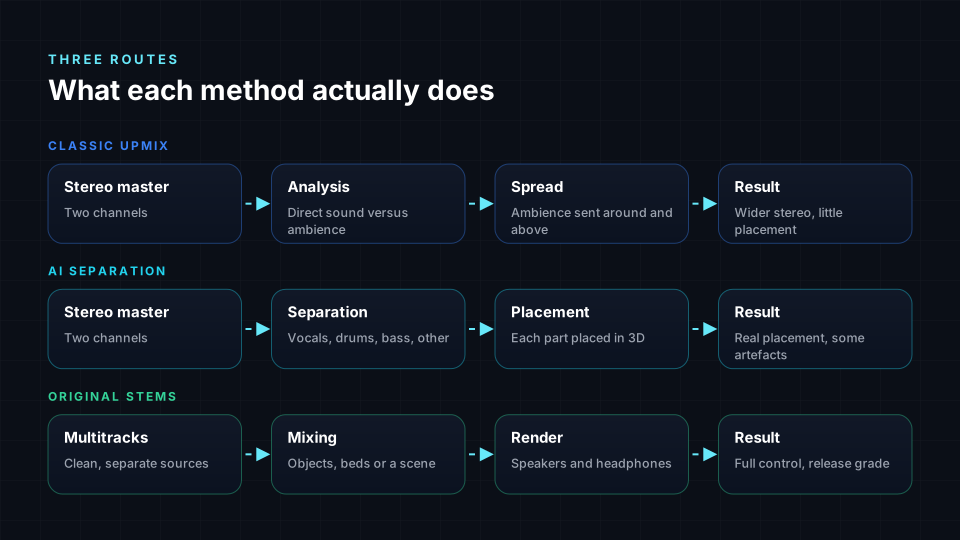
- A classic upmixer spreads the ambience of a stereo file around the room but does not place individual instruments.
- AI source separation splits a stereo mix into parts such as vocals, drums, bass and other, which can then be placed in 3D.
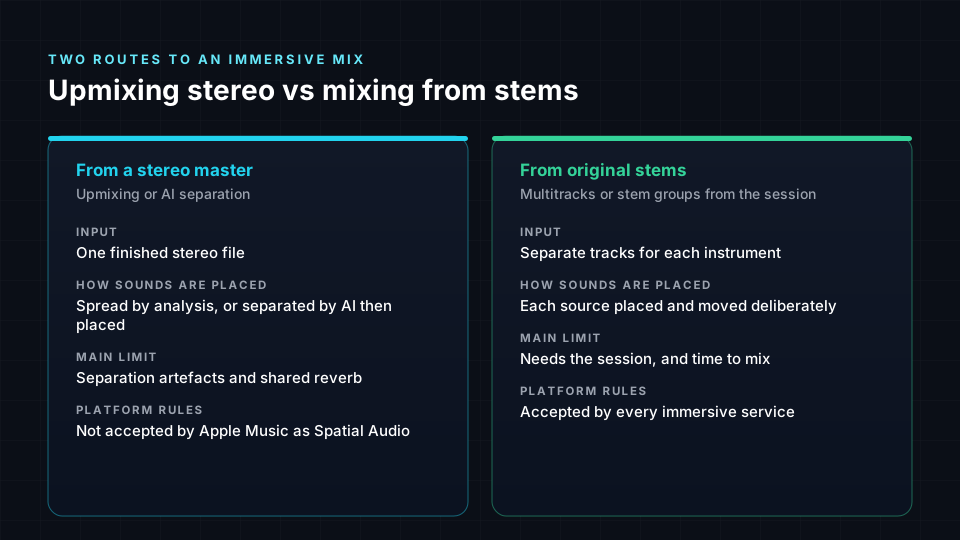
- Apple Music does not accept upmixes of a stereo release, or stems separated from one, as Spatial Audio.
- Mixing from original multitracks gives full control and is accepted by every immersive music service.
Most of the world's recorded music exists only in stereo. Sessions are lost, tapes have decayed, or the multitracks belong to someone else. At the same time, more listeners have devices that can play immersive audio. The obvious question follows: can software turn a finished stereo song into a real immersive mix?
The honest answer has three parts, because there are three different techniques that are often described with the same words. This guide explains each, what it can and cannot do, and how platforms treat the results. For a step-by-step workflow, see how to create spatial audio from stereo.
Upmixing vs mixing from stems at a glance
| Classic upmix | AI separation and placement | Mixing from original stems | |
|---|---|---|---|
| Input | Stereo master | Stereo master | Multitracks or stem groups |
| What happens | Ambience is extracted and spread | The mix is split into parts, each placed in 3D | Each source is placed and moved by a mixer |
| Individual placement | No | Yes, by part | Yes, by track |
| Sound quality limits | Wider stereo, little true direction | Separation artefacts and shared reverb | Only the mix itself |
| Speed | Real time | Minutes | Hours to days |
| Apple Music Spatial Audio | Not accepted | Not accepted | Accepted |
| YouTube in Eclipsa Audio | Possible | Possible | Possible |
| Best for | Playback enhancement | Catalogue, lost sessions, previews | New releases and flagship titles |
Three different techniques
1. Classic upmixing
Upmixers have existed for decades. Systems such as Dolby Surround and DTS Neural:X, built into AV receivers, analyse a stereo or 5.1 signal and work out which parts are correlated between the channels, usually the direct sound, and which are not, usually reverb and ambience. They keep the direct sound at the front and spread the ambience to the sides, rear and height speakers.
The result can be pleasant, especially for live recordings with lots of room sound. It is not an immersive mix in the creative sense. The guitar does not move to the left wall and the backing vocals do not rise overhead, because the upmixer never knows which sound is which.
2. AI source separation and placement
Source separation uses neural networks trained on large collections of songs with known stems to split a finished mix into its parts. Research systems such as Spleeter, released by Deezer in 2019, and Demucs, developed at Facebook AI Research, now Meta AI, popularised the approach, with evaluation built around datasets such as MUSDB18. Commercial tools have improved quickly since.
Once the song is separated, each part can be placed and moved in 3D like an object in a normal mix. This is how Spatial9 turns a stereo song into an immersive mix, and it is the same family of technology that made it possible to remix archive recordings: Giles Martin's 2022 remix of the Beatles' Revolver used machine-learning de-mixing developed by Peter Jackson's team for the documentary Get Back.
The comparison of popular separation tools is covered in stems to immersive audio with Moises, LALAL.AI, AudioShake and Spatial9.
3. Mixing from original stems
The traditional route starts from the session: every vocal, drum mic, guitar and synth on its own track, or stem groups exported from the session. An engineer places each source as an object or in a bed, automates movement, and adjusts reverb and balance for the immersive space. The sources are clean, so nothing leaks between them, and the mixer can make any creative decision.

What a stereo file cannot give back
Separation is impressive, but a stereo master has thrown information away. Good tools hide most of the resulting problems. A careful listen still finds them.
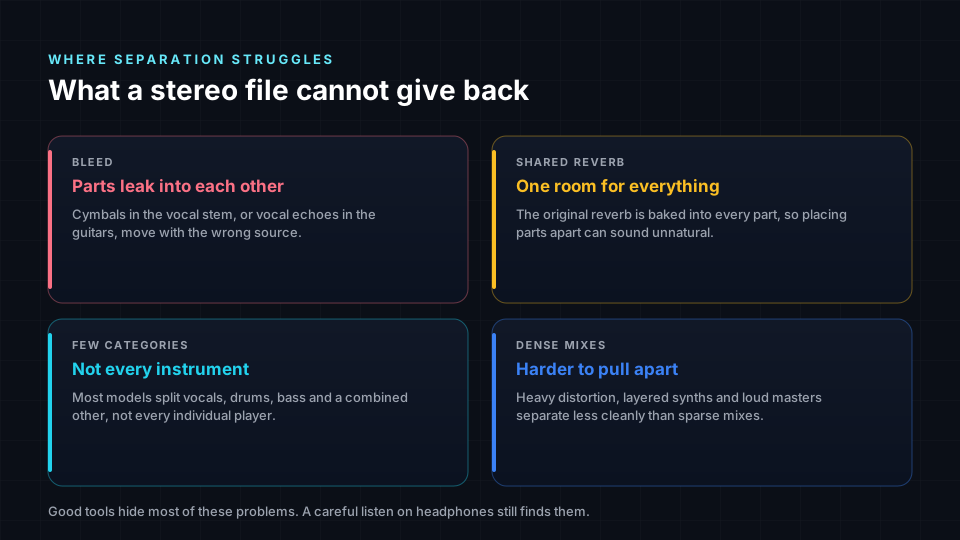
- Bleed. Parts leak into each other: cymbals in the vocal stem, or vocal echoes in the guitars. When a part is moved, the leaked sound moves with it.
- Shared reverb. The original reverb is baked into every part. Placing parts far apart while they share one reverb can sound unnatural.
- Limited categories. Most models separate vocals, drums, bass and a combined "other" group, sometimes with piano or guitar. Two guitars playing together usually stay together.
- Dense, loud mixes. Heavy distortion, layered synths and aggressively limited masters separate less cleanly than sparse acoustic mixes.
Mixing from stems avoids all four. That is the real difference between the routes: not the placement, which both can do, but the cleanliness of the sources being placed.
What platforms accept
Platform rules decide more than sound quality does.
- Apple Music. Apple's delivery guidance for Dolby Atmos states that it does not accept upmixes of a stereo release, or stems separated from a stereo master, as Spatial Audio. An Atmos mix for Apple Music must come from the original multitracks. See Apple Spatial Audio vs Dolby Atmos.
- Other music services. Rules vary and change. Your distributor may ask how a mix was made. Check before you deliver.
- YouTube. You upload Eclipsa Audio yourself, with your video. An immersive version made from a stereo master can be published alongside or instead of the stereo upload, subject to YouTube's normal policies.
- Your own channels. Websites, apps, installations, live shows and listening sessions have no format gatekeeper.
Our guide on where to publish spatial audio covers each service in detail.
Which route should you take?
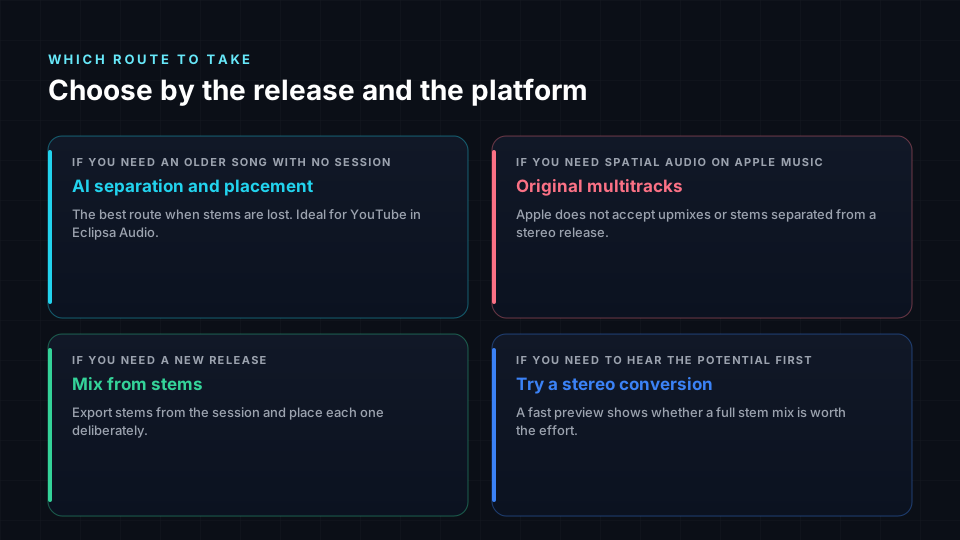
- An older song with no surviving session: AI separation and placement is the practical route, especially for YouTube in Eclipsa Audio.
- Spatial Audio on Apple Music: use the original multitracks. Nothing else qualifies.
- A new release: export stems from your session and mix from them, or let Spatial9 place the stems for you. You get clean sources and every platform accepts the result.
- Testing whether a song suits immersive: a fast stereo conversion is a cheap way to hear the potential before committing to a full stem mix.

How Spatial9 handles both
Spatial9 accepts either input. From a stereo master it separates the song and places each part in 3D. From stems it skips separation and places your clean sources directly, which avoids the limits above. In both cases you can preview on headphones, adjust placement and export Eclipsa Audio or other formats. If you are weighing automation against hand mixing, see Spatial9 Music Engine vs mixing by hand.
Common misconceptions
- "Upmixing and AI separation are the same thing." A classic upmixer only spreads ambience. AI separation splits the song into parts and places each one.
- "AI can recover the original multitracks." It estimates the parts from the stereo mix. The estimates can be very good, but they are not the original recordings.
- "Separated stems are fine for Apple Music." Apple does not accept stems separated from a stereo release for Spatial Audio.
- "Stem mixes always sound better." They can sound better because the sources are clean, but the mix decisions matter more. A careless stem mix can sound worse than a careful conversion.
- "A converted mix is fake." It is a real immersive mix of estimated sources. Whether it suits a release depends on the platform and the listener, not on a label.
Frequently asked questions
Can AI turn a stereo song into Dolby Atmos?
AI can separate a stereo song and place its parts in an Atmos or Eclipsa Audio mix. Apple Music will not accept such a mix as Spatial Audio, so for Apple you need the original multitracks.
What is the difference between upmixing and source separation?
Upmixing spreads the ambience of a stereo signal around more speakers without identifying instruments. Source separation identifies parts such as vocals and drums so that each can be placed individually.
Does upmixed audio sound as good as a real mix?
A good AI conversion can sound convincing, especially on headphones. A mix from original stems avoids separation artefacts and gives the mixer full control, which usually matters most on dense, complex songs.
Can I upload an immersive version of a stereo song to YouTube?
Yes. You can upload an Eclipsa Audio version of your song to YouTube, subject to YouTube's normal policies and your rights to the music.
How do I get stems if I made the song?
Export each track or group from your DAW session as a separate audio file of the same length, starting at the same point. Spatial9 can use those directly.
Sources
- Delivering Dolby Atmos audio, Apple Music Provider Support. Rules on upmixes and separated stems for Spatial Audio.
- Romain Hennequin, Anis Khlif, Félix Voituret and Manuel Moussallam, "Spleeter: a fast and efficient music source separation tool with pre-trained models", Journal of Open Source Software, vol. 5, no. 50, 2020.
- Alexandre Défossez, Nicolas Usunier, Léon Bottou and Francis Bach, "Music Source Separation in the Waveform Domain", arXiv:1911.13254, 2019. The Demucs model.
- Zafar Rafii, Antoine Liutkus, Fabian-Robert Stöter, Stylianos Ioannis Mimilakis and Rachel Bittner, "The MUSDB18 corpus for music separation", 2017. The standard evaluation dataset.
- Dolby professional documentation, Dolby Laboratories. Dolby Surround upmixing and Atmos beds and objects.
- Introducing Eclipsa Audio: immersive audio for everyone, Google Open Source Blog, January 2025. Eclipsa Audio uploads on YouTube.
- Spatial9 product details are provided by Spatial9.
Hear your song in 3D
Start with the stereo master to hear what an immersive version could sound like, then move to stems when the release calls for it. Spatial9 handles both. See how it works for artists and producers.
Dolby, Dolby Atmos and Dolby Surround are trademarks of Dolby Laboratories. Apple and Apple Music are trademarks of Apple Inc. All other names are trademarks of their respective owners. Spatial9 is not affiliated with or endorsed by them.